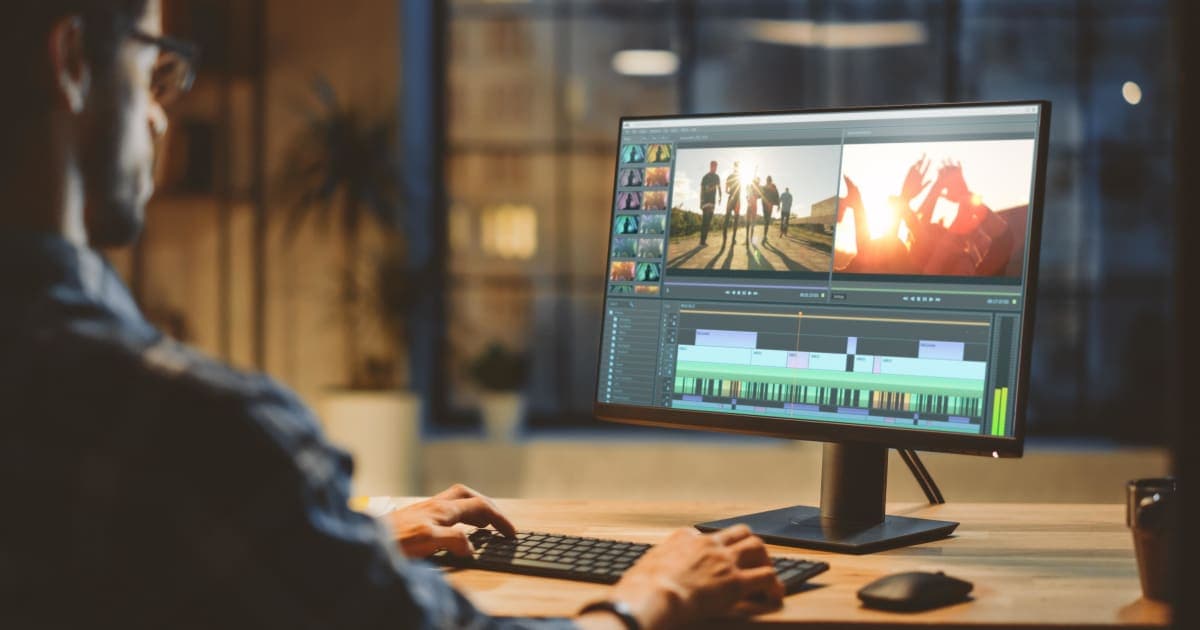
Video editing has become an essential skill in 2026. Whether you're a YouTuber, content creator, business owner, student, filmmaker, gamer, or digital marketer, creating high-quality videos helps you connect with your audience and grow your brand. The good news is that you no longer need expensive software to produce professional-looking videos. Many free video editing software programs now include AI-powered tools, 4K video editing, advanced effects, and watermark-free exports.
But with so many options available, choosing the right editor can be difficult. Some programs are built for beginners, while others offer professional tools for advanced editing. The best choice depends on your experience, computer, and the type of videos you create.
Quick Answer: If you're looking for the best free video editing software in 2026, DaVinci Resolve is the top choice for professional editing, 4K exports, color grading, and AI-powered features without a watermark. Beginners may find Clipchamp, OpenShot, or CapCut Desktop easier to use, while Shotcut is an excellent option for older or low-end PCs.
In this guide, we'll review the best free video editing software available today. We'll compare their features, advantages, disadvantages, system requirements, and ideal use cases. Whether you need the best free video editing software for Windows, Mac, YouTube, TikTok, or low-end PCs, this guide will help you choose the right tool.
Why Trust EurosHub?
At EurosHub, we work with businesses, marketers, and content creators who rely on professional video content for websites, social media, digital advertising, and online marketing. Our team regularly tests video editing tools based on ease of use, editing performance, export quality, AI features, and real-world workflows. Instead of recommending software based on popularity alone, we focus on tools that deliver reliable results for beginners and professionals alike.
How We Tested These Free Video Editors
To create this guide, we compared the most popular free video editing software using several important criteria:
Ease of use for beginners
Editing tools and timeline features
AI-powered editing capabilities
4K and HD export quality
Watermark policy
Windows, Mac, and Linux compatibility
Performance on low-end and high-end computers
Regular software updates and community support
Our goal was to recommend video editors that provide the best balance of performance, features, and value without requiring a paid subscription.
What to Look for in Free Video Editing Software
Not every free video editor offers the same experience. Before downloading one, consider these important factors.
Ease of Use
If you're new to video editing, choose software with a simple interface, drag-and-drop editing, and built-in templates. Programs like Clipchamp, OpenShot, and CapCut Desktop are beginner-friendly and easy to learn.
Experienced creators may prefer editors such as DaVinci Resolve or Kdenlive, which offer advanced editing tools and greater creative control.
AI-Powered Features
Modern video editors include AI tools that save time and improve productivity. Useful features include:
AI auto captions
Speech-to-text
Background noise removal
Automatic scene detection
Smart reframing
Object tracking
Voice enhancement
These tools are especially helpful for YouTubers, marketers, and social media creators.
Watermark-Free Export
Many users search for the best free video editing software without a watermark. Fortunately, editors like DaVinci Resolve, Shotcut, OpenShot, Kdenlive, and Clipchamp allow you to export videos without adding unwanted branding.
4K Video Export
If you create content for YouTube or professional projects, choose software that supports Full HD and 4K video exports while maintaining high image quality.
Performance
Lightweight editors such as Shotcut and OpenShot perform well on older computers, while professional software like DaVinci Resolve works best on systems with dedicated graphics cards and more RAM.
Best Free Video Editing Software in 2026
After comparing features, performance, AI tools, export quality, and ease of use, these are the best free video editing software options available today.
1. DaVinci Resolve – Best Overall Free Video Editing Software
DaVinci Resolve remains the best free video editing software in 2026. It combines professional editing, Hollywood-quality color grading, visual effects, audio production, and AI-powered tools into one application.
Best For
Professional editors
YouTubers
Filmmakers
Marketing agencies
Businesses creating commercial videos
Key Features
Multi-track timeline editing
Professional color grading
AI editing tools
Motion tracking
Video stabilization
Green screen editing
Fairlight audio editing
Fusion visual effects
4K video export
No watermark
Pros
Professional-grade editing tools
Excellent AI features
Supports Windows, Mac, and Linux
Regular updates
Free 4K exports
Cons
Requires a powerful computer
Learning curve for beginners
2. Shotcut – Best Free Video Editor for Low-End PCs
Shotcut is one of the best free open-source video editors. It works smoothly on older computers while still offering professional editing features.
Best For
Beginners
Students
Low-end laptops
Everyday video editing
Key Features
Multi-track editing
Wide format support
Hardware acceleration
Chroma key
4K editing
No watermark
Pros
Lightweight
Completely free
Open-source
Excellent format compatibility
Cons
Interface feels outdated
Limited AI tools
3. OpenShot – Best Free Video Editing Software for Beginners
OpenShot is perfect for anyone learning video editing. Its clean interface makes creating videos simple without sacrificing essential editing features.
Best For
Beginners
Students
Teachers
Personal videos
School projects
Key Features
Drag-and-drop editing
Unlimited layers
Animated titles
Video transitions
Keyframe animation
4K export
Pros
Easy to learn
Clean interface
No watermark
Cross-platform support
Cons
Slower rendering
Limited advanced effects
4. Kdenlive – Best Free Video Editor for Intermediate Users
Kdenlive offers a great balance between beginner-friendly tools and professional editing features. It's ideal for creators who need more control without paying for premium software.
Best For
Freelancers
Small businesses
Intermediate editors
YouTubers
Key Features
Multi-track editing
Proxy editing
Color correction
Keyframe animation
Custom layouts
Wide codec support
Pros
Flexible workflow
Lightweight
No watermark
Cons
Interface takes time to master
Limited AI tools
5. CapCut Desktop – Best Free Video Editor for Social Media
CapCut Desktop has become one of the most popular editors for TikTok, Instagram Reels, and YouTube Shorts. Its AI-powered editing tools help creators produce engaging content quickly.
Best For
TikTok creators
Instagram Reels
YouTube Shorts
Social media marketers
Key Features
AI captions
Speech-to-text
Auto reframing
Background removal
Trending templates
Music library
Pros
Fast editing
AI-powered workflow
Beginner-friendly
Cons
Some premium assets require payment
Better suited for short-form videos
6. Clipchamp – Best Built-In Free Video Editor for Windows
Clipchamp is included with Windows 11 and offers one of the easiest editing experiences for beginners and businesses.
Best For
Windows users
Beginners
Marketing videos
Business presentations
Key Features
Drag-and-drop editing
AI captions
Screen recording
Video templates
Stock media
Cloud integration
Pros
Very easy to use
Built into Windows
Excellent templates
Cons
Limited advanced editing features
Requires internet for some tools
7. iMovie – Best Free Video Editing Software for Mac
If you use a Mac, iMovie is one of the best free video editing software options available. Developed by Apple, it is easy to use and works smoothly with macOS, iPhone, and iPad. It is perfect for beginners, students, and small business owners who want to create professional-looking videos without learning complex software.
Best For
Mac users
Students
Beginners
Small businesses
Family videos
YouTube creators
Key Features
Drag-and-drop editing
Built-in themes and transitions
Green screen support
Color correction
Cinematic mode
4K video export
Apple ecosystem integration
Pros
Completely free for Apple users
Fast and smooth performance
Easy to learn
No watermark
Excellent export quality
Cons
Available only on Apple devices
Limited advanced editing features
8. VSDC Free Video Editor – Best Free Video Editor for Windows
VSDC Free Video Editor is designed for Windows users who need advanced editing tools without paying for premium software. It includes motion tracking, visual effects, and support for high-resolution video editing.
Best For
Windows users
Marketing videos
Product demonstrations
Business presentations
Social media creators
Key Features
Non-linear editing
Motion tracking
Chroma key
Color correction
Video stabilization
Hardware acceleration
4K export
No watermark
Pros
Powerful editing features
Lightweight software
Great visual effects
Supports many file formats
Cons
Windows only
Interface can feel complex for beginners
Best Free Video Editing Software Comparison (2026)
Software | Best For | Platform | 4K Export | Watermark | AI Features |
|---|---|---|---|---|---|
DaVinci Resolve | Professional Editing | Windows, Mac, Linux | ✅ | No | Excellent |
Shotcut | Low-End PCs | Windows, Mac, Linux | ✅ | No | Limited |
OpenShot | Beginners | Windows, Mac, Linux | ✅ | No | No |
Kdenlive | Intermediate Users | Windows, Mac, Linux | ✅ | No | Limited |
CapCut Desktop | Social Media | Windows, Mac | ✅ | No | Excellent |
Clipchamp | Windows Beginners | Windows | ✅ | No | Good |
iMovie | Mac Users | macOS | ✅ | No | Basic |
VSDC Free | Windows Users | Windows | ✅ | No | Limited |
Best Free Video Editing Software by Use Case
Every creator has different editing needs. Here are our top recommendations based on different workflows.
Best Free Video Editing Software for Beginners
If you're just starting, choose software with a simple interface and basic editing tools.
Our top picks are:
OpenShot
Clipchamp
iMovie
Shotcut
These editors offer drag-and-drop editing, ready-made templates, and an easy learning curve.
Best Free Video Editing Software for Windows
Windows users have several excellent options depending on their experience.
Recommended software:
DaVinci Resolve
VSDC Free Video Editor
Clipchamp
Shotcut
Kdenlive
These editors support HD and 4K video editing without adding watermarks.
Best Free Video Editing Software for Mac
Mac users can choose from beginner-friendly and professional editors.
Best options include:
iMovie
DaVinci Resolve
CapCut Desktop
Shotcut
Kdenlive
Each program supports high-quality video exports and works well on macOS.
Best Free Video Editing Software for YouTube
YouTube creators need reliable editing tools, high-quality exports, and strong audio controls.
Our recommendations are:
DaVinci Resolve
Kdenlive
Shotcut
CapCut Desktop
iMovie
These editors help creators produce tutorials, vlogs, reviews, podcasts, and long-form videos with professional results.
Best Free Video Editing Software Without Watermark
One of the biggest concerns for creators is exporting videos without a watermark. Fortunately, many free editors now offer clean exports.
Top watermark-free editors include:
DaVinci Resolve
Shotcut
OpenShot
Kdenlive
Clipchamp
VSDC Free Video Editor
iMovie
These programs allow you to publish professional videos without unwanted branding.
Best Free Video Editing Software for Low-End PCs
If your computer has limited RAM or older hardware, choose lightweight software that runs smoothly.
Recommended options:
Shotcut
OpenShot
Kdenlive
VSDC Free Video Editor
These editors provide reliable performance without requiring expensive hardware.
DaVinci Resolve vs CapCut vs Shotcut
Choosing the right editor depends on your goals.
Choose DaVinci Resolve if you need professional editing, advanced color grading, AI tools, and cinematic results.
Choose CapCut Desktop if you create TikTok videos, Instagram Reels, Facebook videos, or YouTube Shorts and want fast AI-powered editing.
Choose Shotcut if you need a lightweight editor that works well on older Windows or Mac computers.
Each editor serves a different type of creator, making it important to match the software to your workflow rather than simply choosing the most popular option.
Frequently Asked Questions (FAQs)
What is the best free video editing software in 2026?
The best free video editing software in 2026 depends on your editing needs. DaVinci Resolve is the top choice for professional editing because it offers advanced color grading, AI-powered tools, visual effects, and 4K exports without a watermark. If you're a beginner, Clipchamp, OpenShot, and iMovie provide a simpler editing experience.
Which free video editor has no watermark?
Several free video editors allow you to export videos without a watermark, including:
DaVinci Resolve
Shotcut
OpenShot
Kdenlive
Clipchamp
iMovie
VSDC Free Video Editor
These programs let you create professional-quality videos without adding unwanted branding.
Which free video editing software is best for beginners?
If you're new to video editing, choose software with a simple interface and easy-to-use tools. The best options include:
OpenShot
Clipchamp
iMovie
CapCut Desktop
These editors offer drag-and-drop timelines, templates, and basic effects that help beginners learn quickly.
What is the best free video editing software for YouTube?
YouTube creators need software that supports HD or 4K exports, high-quality audio editing, and flexible timelines.
Our top recommendations are:
DaVinci Resolve
CapCut Desktop
Kdenlive
Shotcut
iMovie
These editors work well for vlogs, tutorials, gaming videos, product reviews, podcasts, and educational content.
What is the best free video editing software for Windows?
Windows users have many excellent choices depending on their experience level.
The best options include:
DaVinci Resolve
Clipchamp
VSDC Free Video Editor
Shotcut
Kdenlive
All of these programs support professional editing features and export videos without watermarks.
Final Thoughts
Choosing the best free video editing software depends on your goals, experience, and the type of content you create. Some editors focus on simplicity, while others deliver professional features for advanced video production.
If you need the most powerful all-around solution, DaVinci Resolve remains our top recommendation for 2026. It combines professional editing tools, AI-powered features, advanced color grading, and 4K exports without a watermark, making it the best choice for filmmakers, YouTubers, businesses, and content creators.
For beginners, Clipchamp, OpenShot, and iMovie offer an easier learning curve with intuitive interfaces. If you create short-form videos for TikTok, Instagram Reels, or YouTube Shorts, CapCut Desktop provides fast editing with useful AI tools. Users with older computers will find Shotcut and Kdenlive to be reliable and lightweight options.
The good news is that you don't need to spend hundreds of dollars on editing software anymore. Today's free video editors include many professional features that were once available only in expensive applications. Try a few options from this list and choose the one that fits your workflow, hardware, and creative needs.
Whether you're editing videos for social media, YouTube, online courses, business marketing, or personal projects, the right free video editing software can help you produce high-quality content without stretching your budget.